 DAW Lite UTUVO
Sound-triggered recording
Recording begins only when audio plays, so the dead air before and after stays out of the file.
Capture your own tracks, online meetings, or sample material with a single click. Press record once and let DAW Lite handle the rest.
Download the beta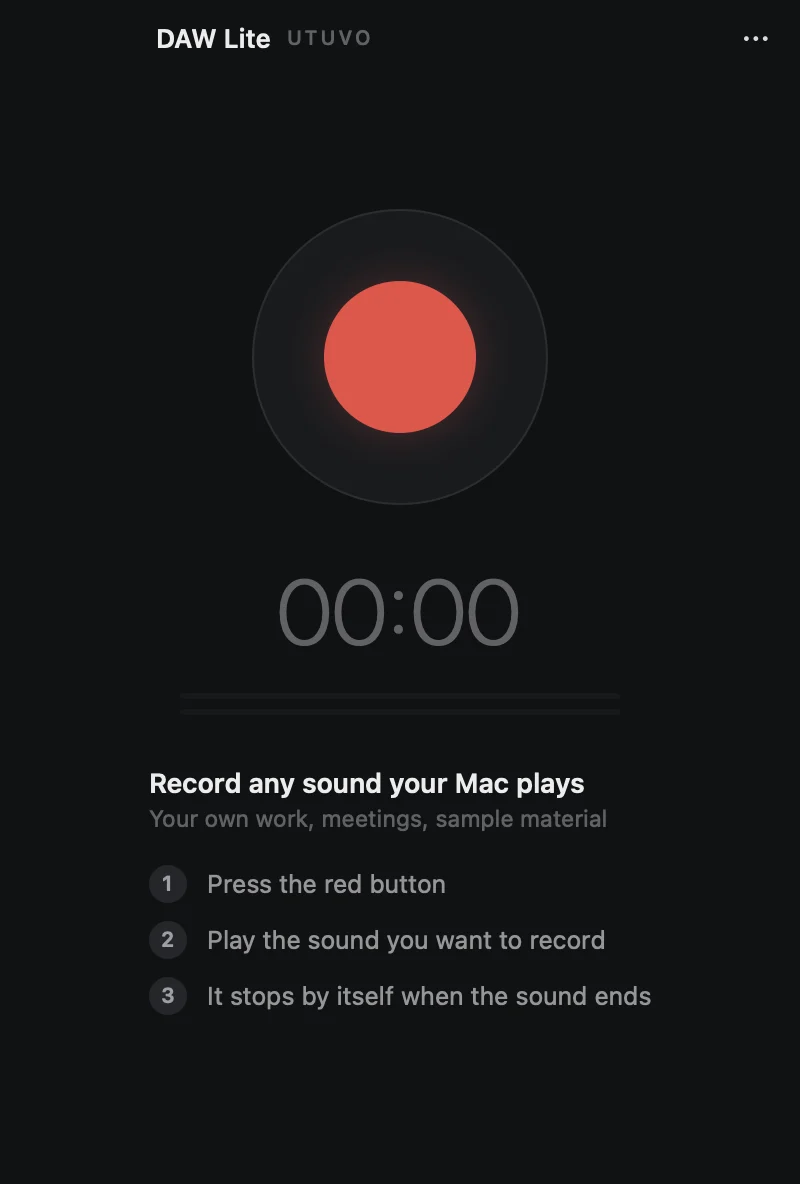
No frantic timing when you hit play, and no tedious trimming afterward.
DAW Lite stands by quietly. Nothing is recorded until sound starts.
Recording starts the moment sound begins and stops automatically when it ends.
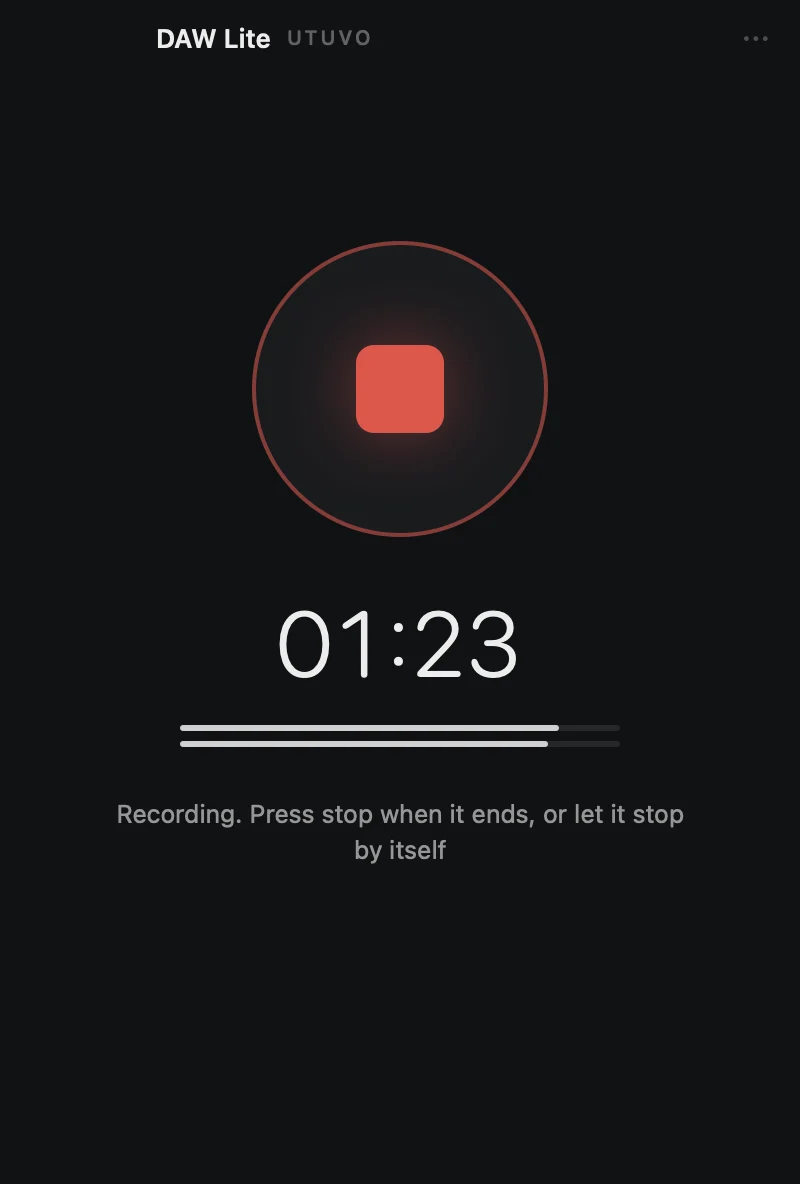
Your audio is already split into clips ready to audition, rename, polish, and export.
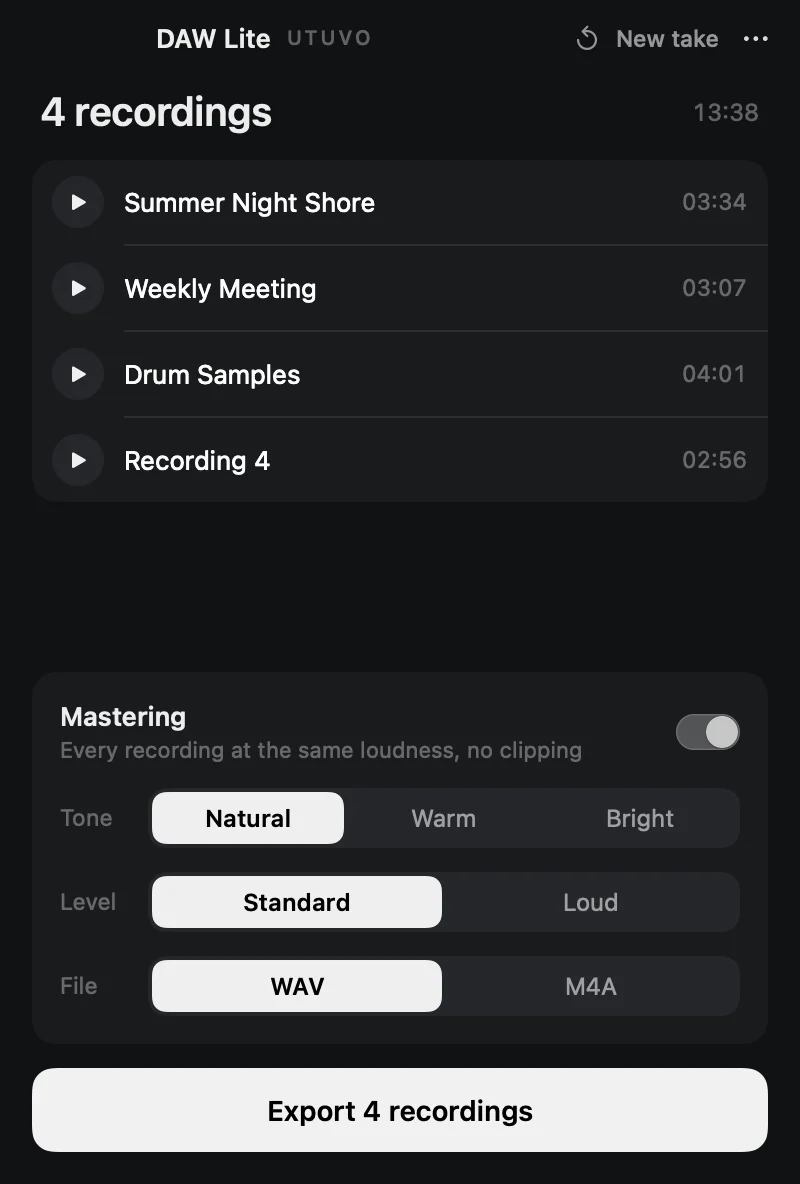
A focused macOS recorder that handles the messy details automatically.
Recording begins only when audio plays, so the dead air before and after stays out of the file.
Play multiple tracks or samples in a row and each one becomes its own separate take.
Match loudness across clips without clipping, with Natural, Warm, or Bright tone presets.
Export uncompressed 24-bit WAV for further editing, or compact M4A for everyday listening.
No virtual audio devices or custom drivers required—open the app and start recording.
All recordings remain local on your Mac and are never uploaded anywhere.
10 minutes of free exports included
The free version includes every feature with up to 10 cumulative minutes of exports (this limit does not reset).
To keep exporting after 10 minutes, a one-time purchase of the full version is required. The purchase page is currently in preparation.
Open the disk image and drag DAW Lite into your Applications folder to install.
Download the beta4466d09f3099da2830f3af966899bbb4f293d336e45d6da8d44ecddc56d26425